Mint tokens
In this section you will learn how to mint tokens on MultiversX.
There are 2 types of tokens on MultiversX:
- Native tokens - EGLD;
- ESDT - eStandard Digital Token.
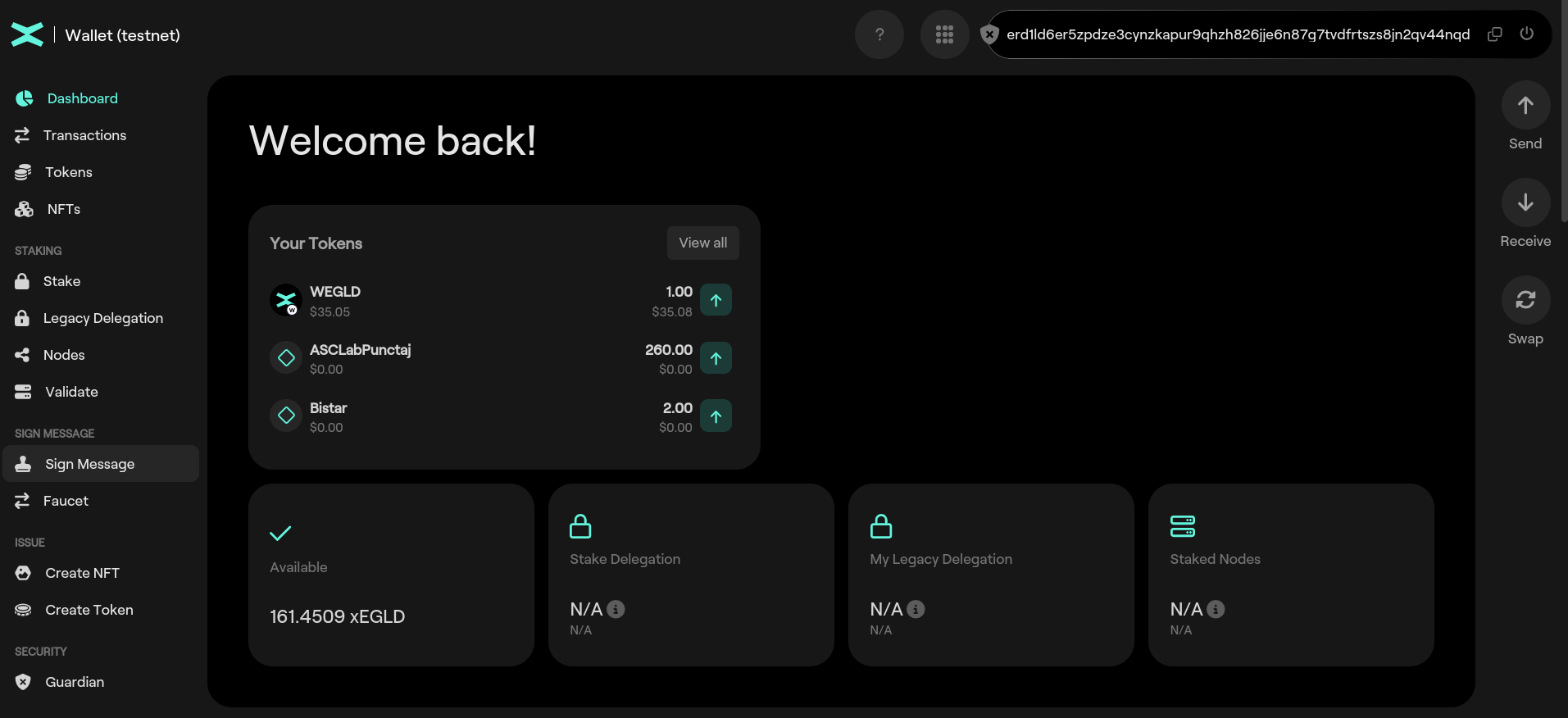
In the previous section you learnt how to mint xEGLD on MultiversX Testnet using Faucet option.
Mint ESDT
This time we use the Create Token option.
Token Name:
- length between 3 and 20 characters
- alphanumeric characters only
Token Ticker:
- length between 3 and 10 characters
- alphanumeric UPPERCASE only
Number of decimals:
- should be a numerical value between 0 and 18;
- there are no floats on the blockchain;
- a token with 3 decimals and value 1000 would be equal with value 1;
- EGLD has 18 decimals and the value of 1000000000000000000 is 1 EGLD.
Let's create a token new token:
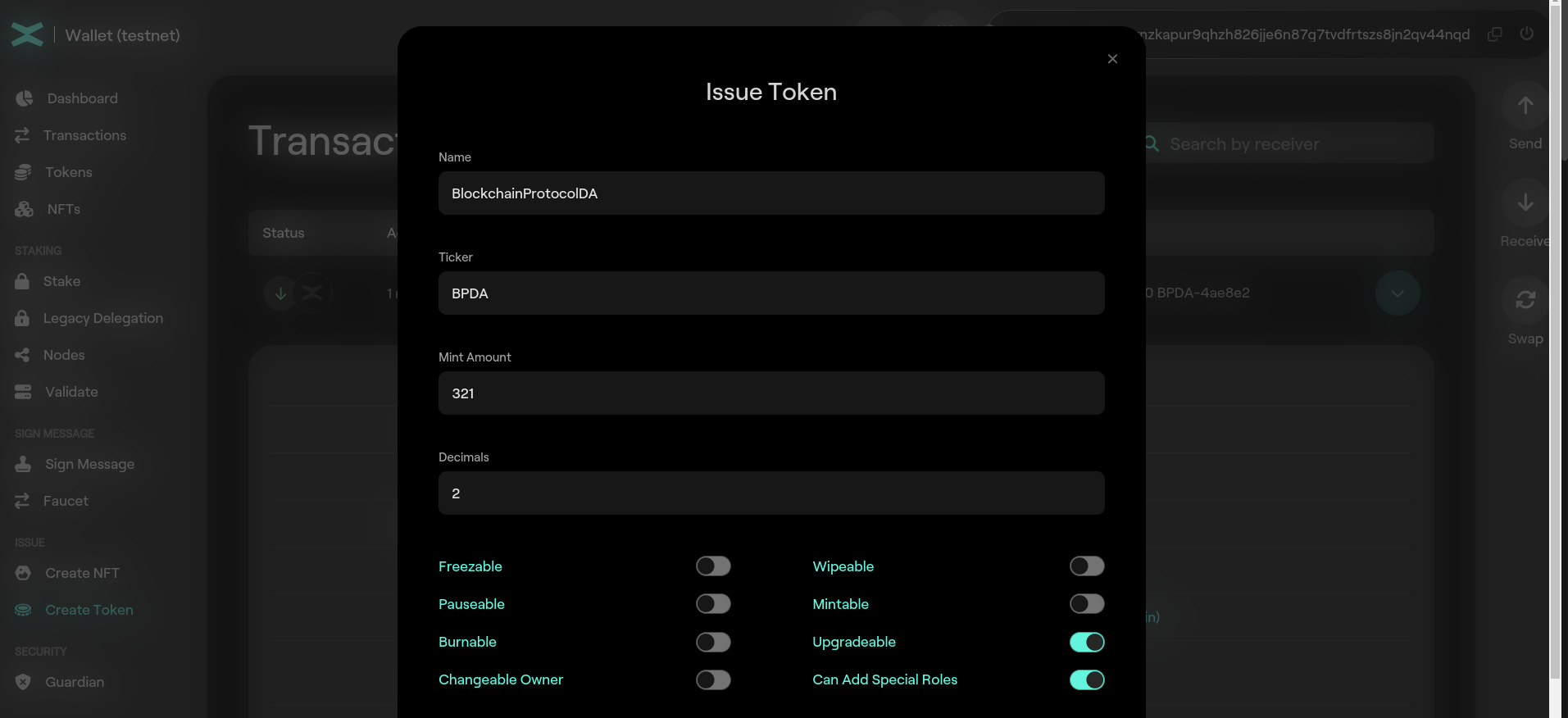
and inspect the transaction.
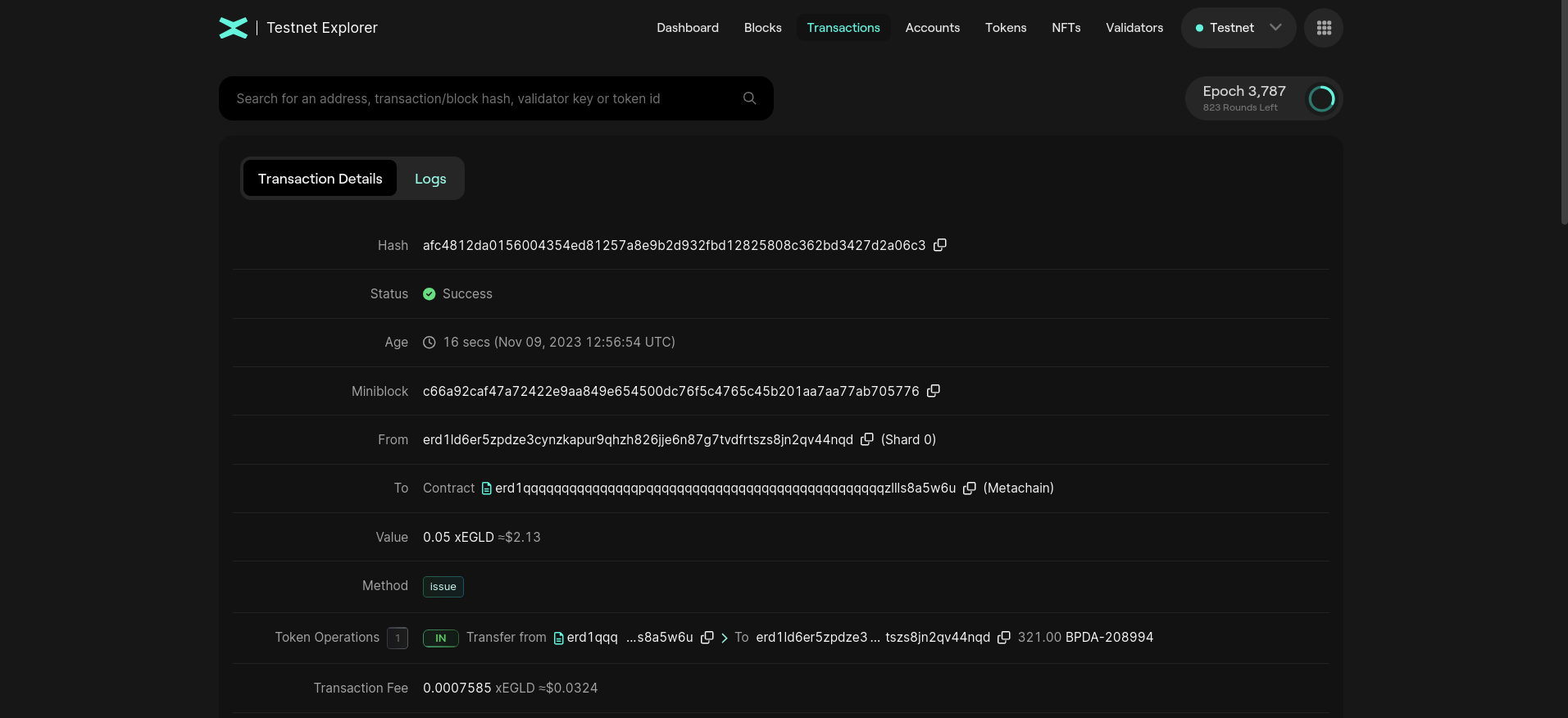
Observe Token Operations field. We received 321.00 BPDA-208994 tokens. BPDA-208994 is the token ID. The token ID is formed by appending to the token ticker the character - and 6 random hexadecimals characters. This is done because there might be mutiple tokens with the same ticker; the token ID is always unique.
We can click on the token ID and see the details of the token:
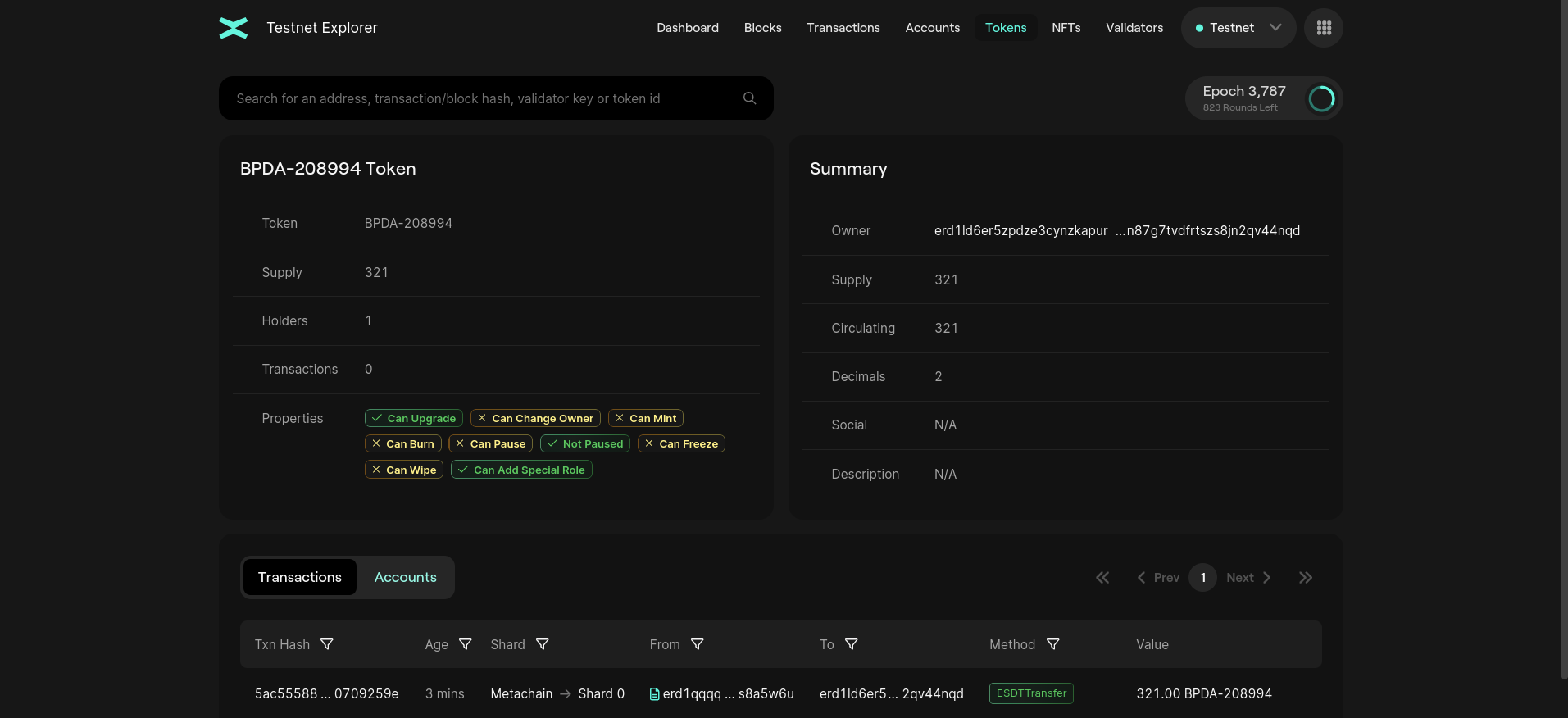
Observe the fields TOKEN, Supply, Holders, Transactions, Owner, Decimals.
Let create another token with the same input:
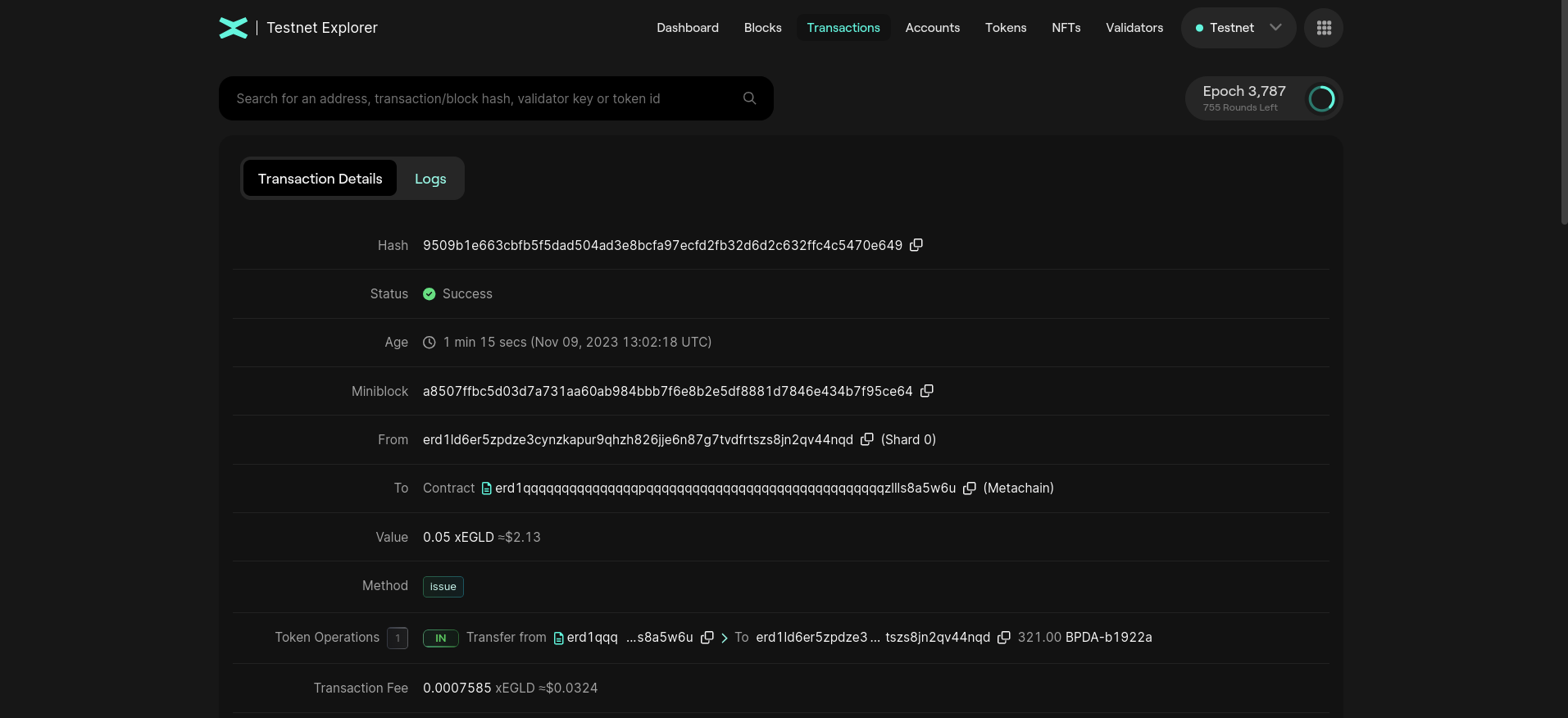
Observe that the token ID is different.
Practice
- Create your own ESDT token;
- Inspect the transaction;
- Send some of your tokens to erd1mqa9wttlzwwdvwgk9dzsfdn79lv5raw0tfe9ynvn0dg92hpruvaqhhd2gx;
- Create another token with the same ticker. Observer that the token ID is different and unique.